Every click becomes a step
Screenshots are taken at the exact moment you click, with a marker on the spot. Rapid clicks are never dropped.
Free & open source Windows & Linux
StepForge is a free desktop app for Windows and Linux that turns what you click into a step-by-step guide. Do the task once, and every click becomes a step, with a screenshot, a marker on the exact spot, and a title written for you.
A free, open-source alternative to Folge, Tango and Scribe.
Choose a section on the left.
Wi-Fi networks
Guest Printer-DirectOffice-5G
Secured network
Office-5G
Connected
Each click you make becomes a step, with a screenshot of that moment.
The problem
Writing good documentation is slow: do a step, stop, screenshot, crop, paste, describe, repeat. So people skip the screenshots and write “click the settings thing.” StepForge captures while you work, so the pictures are never the part you skip.
How to install the app
“Which file? Which button?”
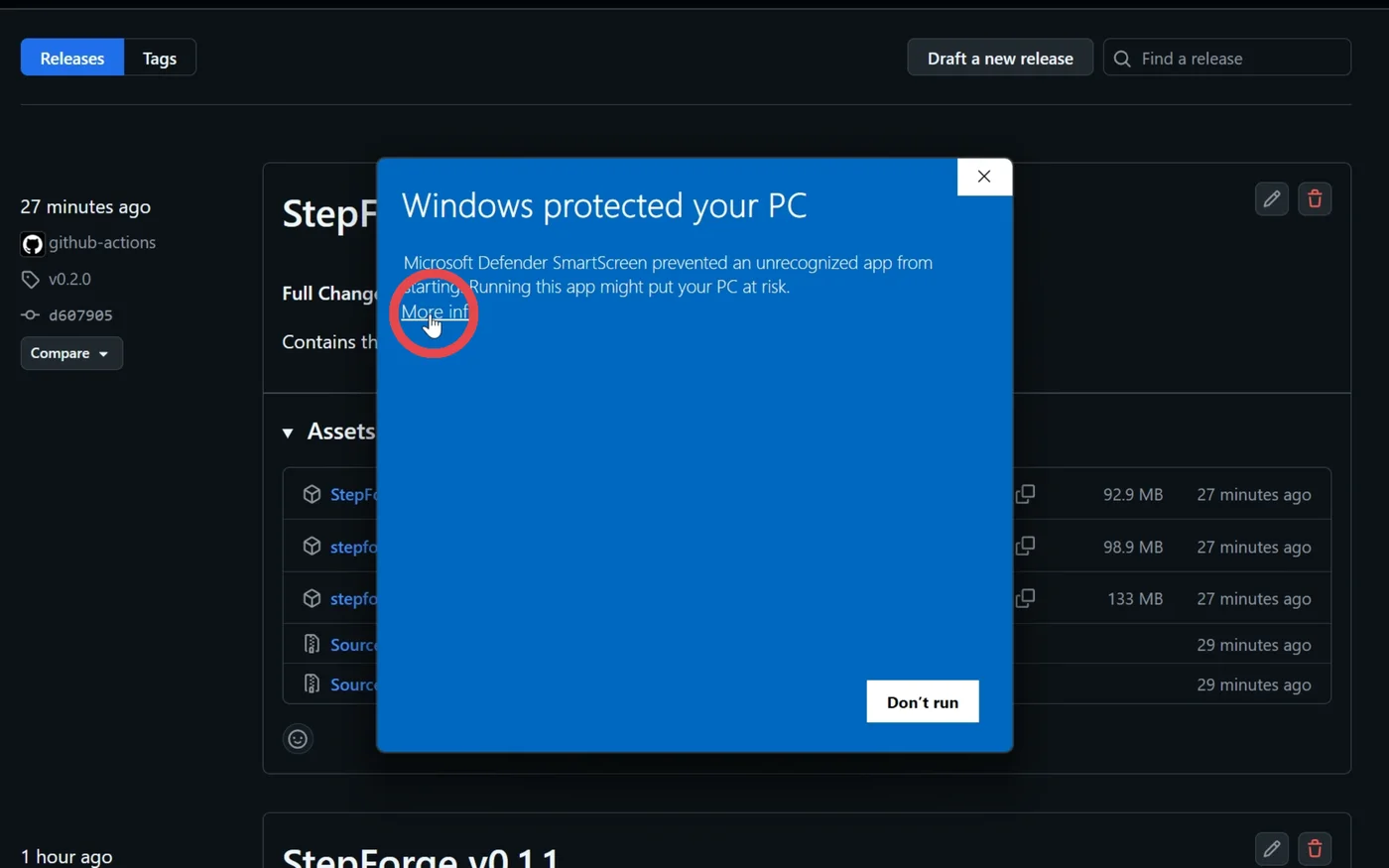
Windows shows this for new apps. Click More info to continue.
See it in action
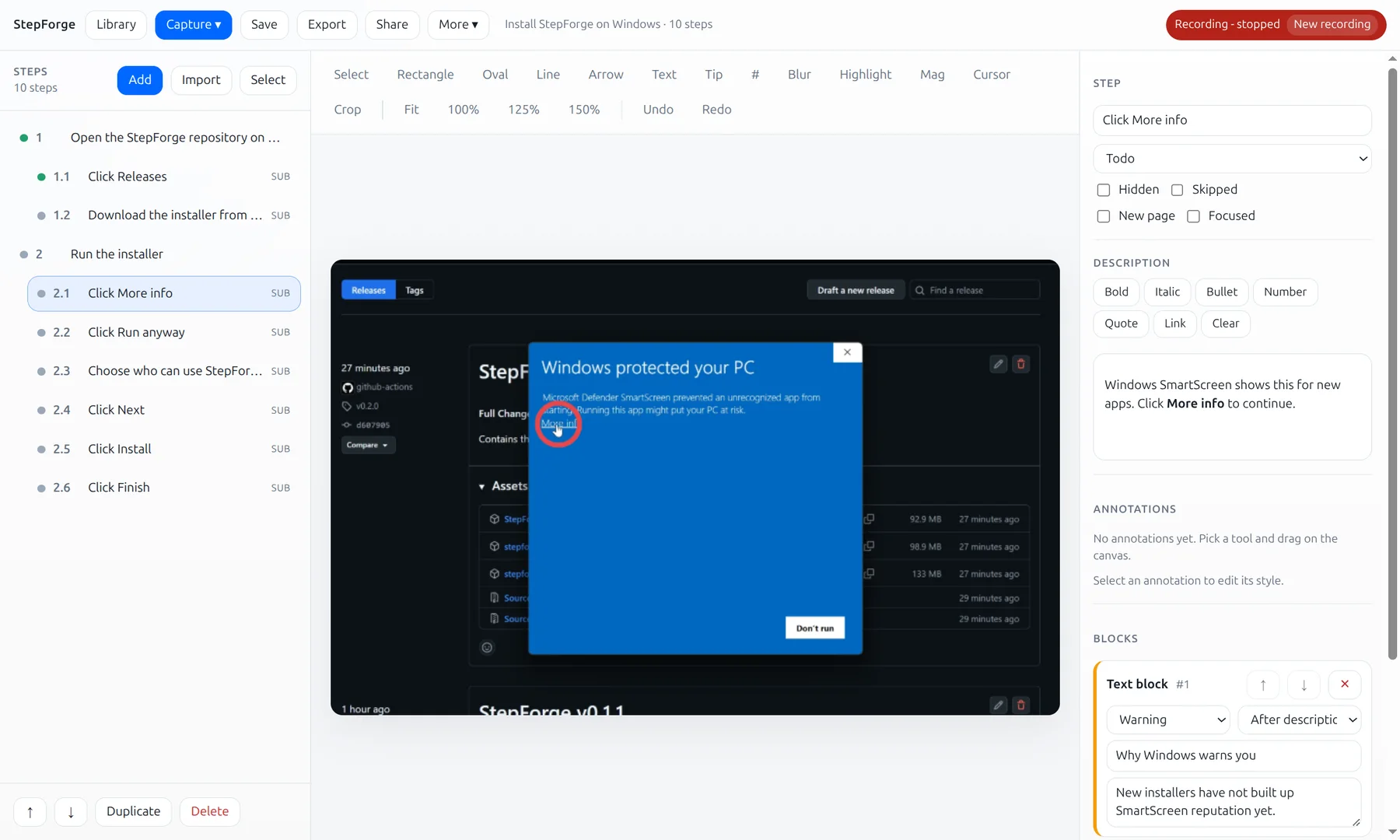
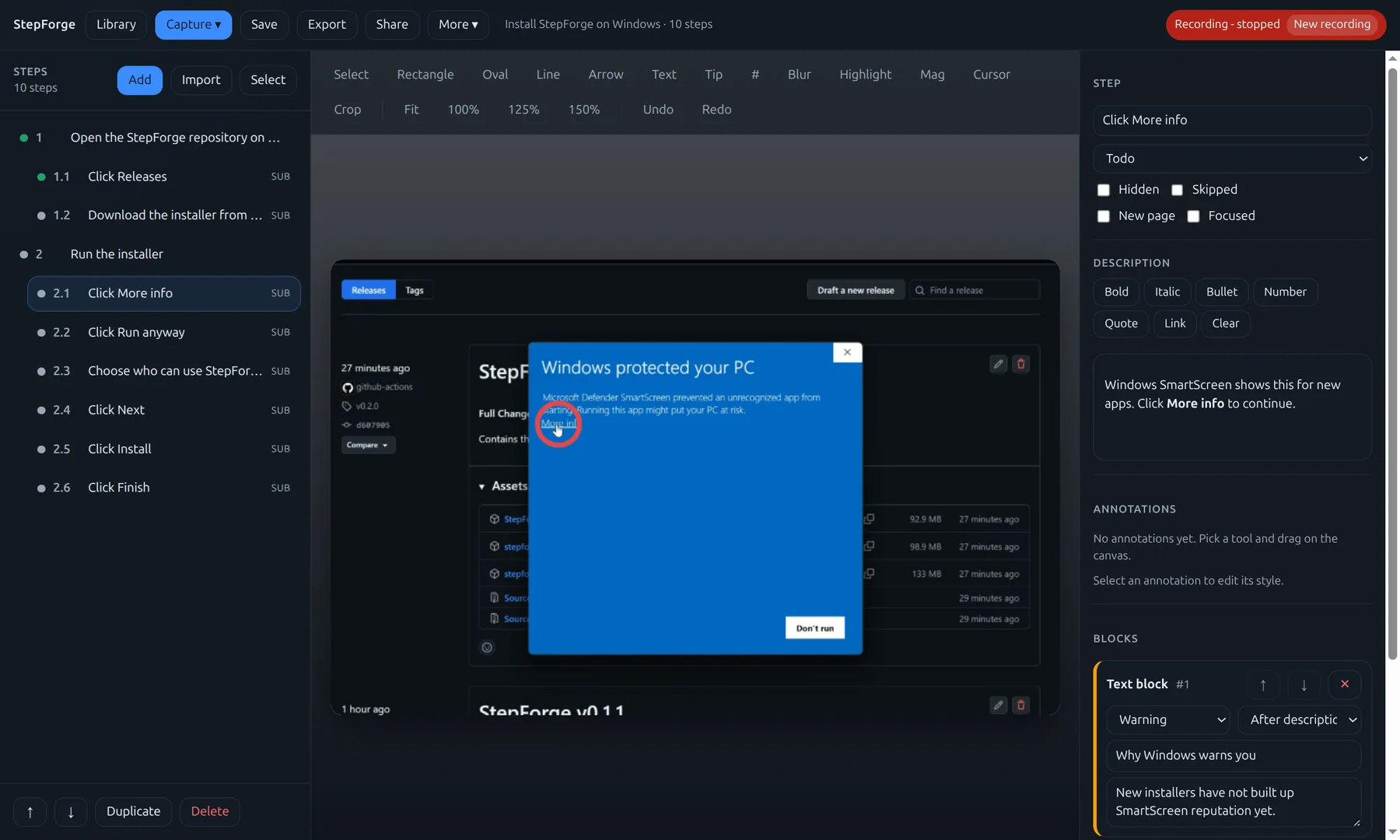
Four clicks become four steps. Mark them up, add a callout, and export a finished PDF. Every frame is the real app.
How it works
Start a capture and do the task like you normally would. StepForge stays out of the way while every click becomes a step.
Tidy titles, add arrows and callouts, blur anything private, and drop in notes, code, or tables where they help.
Send a PDF, paste into Confluence, commit Markdown to your repo, or present it as slides. Your call.
Features
Built for people who document often, and for people who wish they didn’t have to.
Screenshots are taken at the exact moment you click, with a marker on the spot. Rapid clicks are never dropped.
On-device text recognition reads the button or menu you clicked, so steps arrive named “Click Save” instead of “Step 4”.
Arrows, boxes, tooltips, numbered badges, highlights, and a magnifier. Everything stays editable and the original is never altered.
Hide passwords, emails, and customer data with one drag before anything leaves your desk.
Nest substeps, add notes, warnings, code snippets and tables, and track each step from todo to done.
Folders, favorites, full-text search across every guide, automatic snapshots, and a trash that forgives mistakes.
Placeholders like [[Product]] and shareable export templates keep a whole set of guides consistent.
Optional sync through Google Drive, OneDrive, Dropbox or Nextcloud, with version history. Edits from different computers are combined.
Connect a model running on your own machine with Ollama to write full descriptions. Off unless you turn it on.
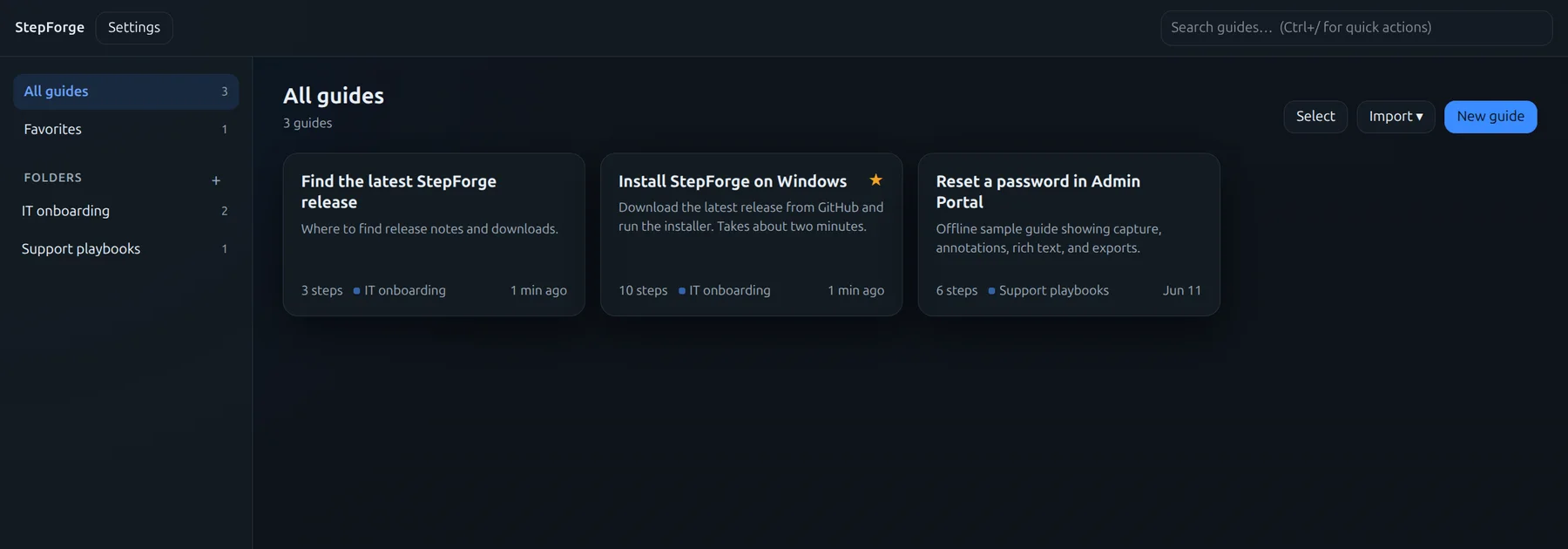
Made with StepForge
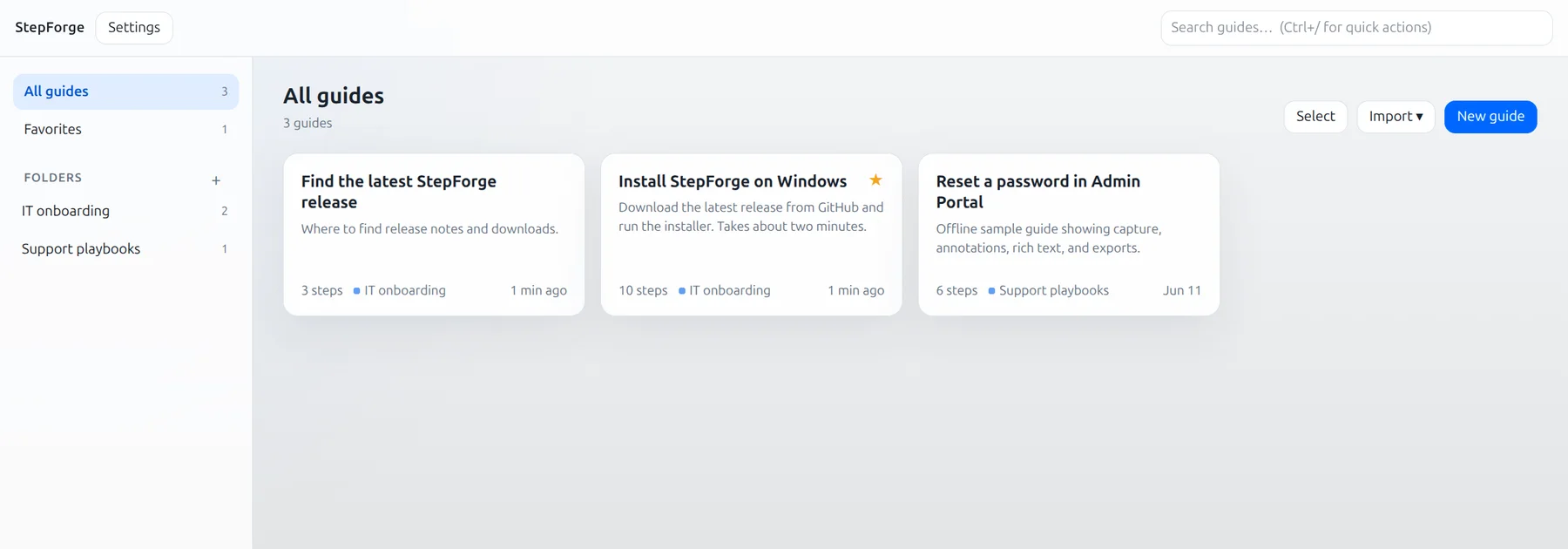
StepForge’s own manual Windows install guide was recorded with StepForge. Ten clicks, ten steps, every marker placed automatically. Flip through it.
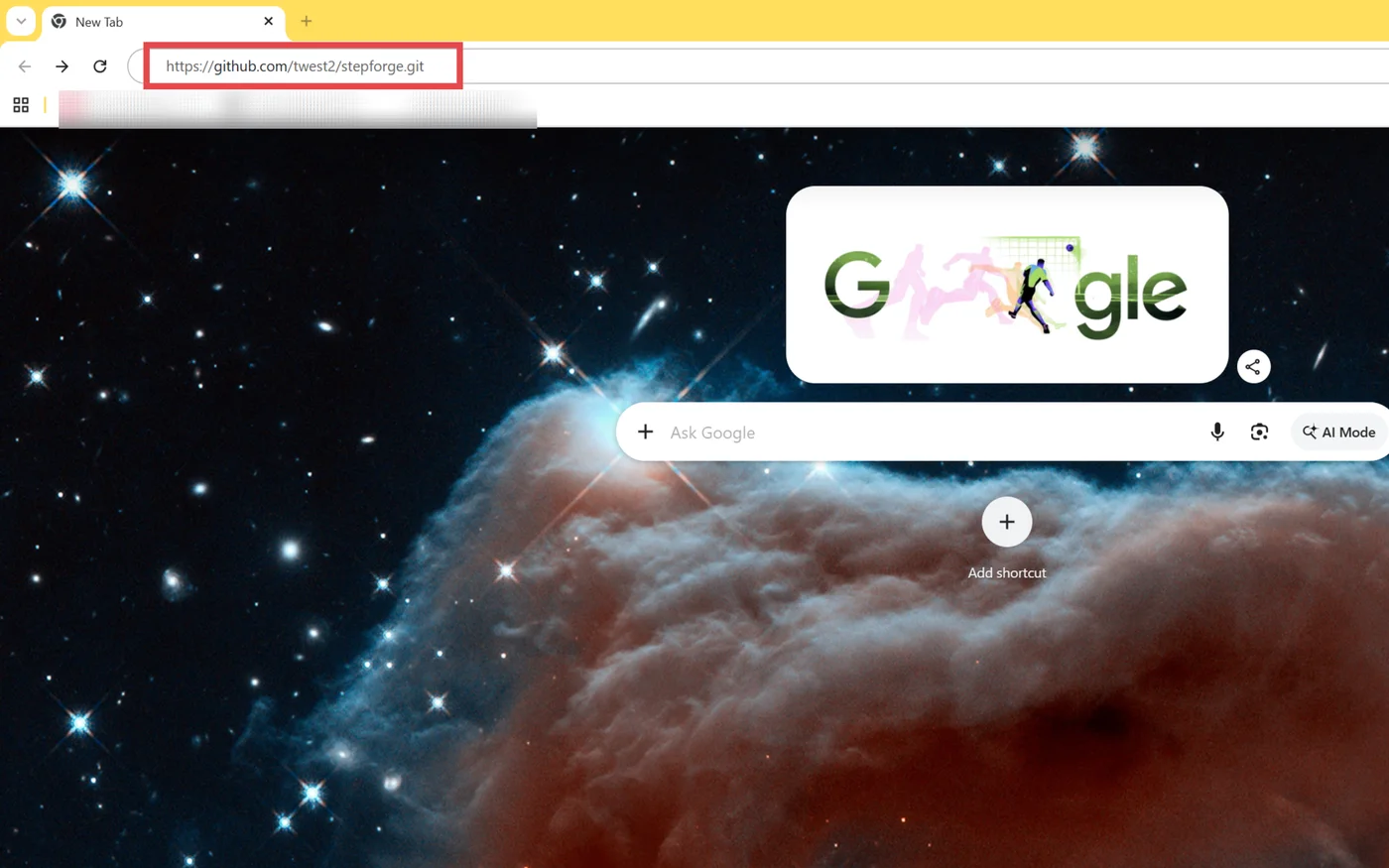
Step 1 of 10
Go to github.com/Twest2/StepForge.
Read the finished guide on GitHub.
Want a longer one? Set up ONLYOFFICE in Seafile with Coolify is a 29-step guide made with StepForge and published on a Wiki.js site.
Export
Record once, then publish wherever your readers are. Save your favorite settings as a template so every guide comes out looking the same.
Who it’s for
Answer “how do I…?” once, then send a link. Password resets, VPN setup, printer installs: done.
Give every new hire the same clear walkthrough of the tools they need on day one.
Record the exact clicks that trigger a bug. Developers see precisely what happened, in order.
Export Markdown straight into your repo or docs site, screenshots and all.
Turn a live demo into a handout or slide deck students can follow at their own pace.
Show your parents how to do it once, and they’ll have a guide to follow next time.
Compare
They all turn your clicks into step-by-step guides. StepForge does it for free, with no guide limit, records any app on your desktop, and keeps your guides on your computer.
| StepForge | Folge | Tango | Scribe | |
|---|---|---|---|---|
| Price | Free, with no guide limit | Free for up to 5 guides. Personal license $89 one-time, per platform | Free for up to 5 workflows. Pro from $15 per user per month | Free Basic plan. Pro from $13 per seat per month |
| What it records | Any app on your desktop | Any app on your desktop | Your browser. Desktop apps on Pro | Your browser. Desktop apps on Pro |
| Runs on | Windows and Linux | Windows and Mac | A browser extension | A browser extension |
| Where your guides are kept | On your computer. Optional sync to your own Google Drive, OneDrive, Dropbox or Nextcloud | On your computer | In Tango’s cloud | In Scribe’s cloud |
| Account needed | No | To unlock a paid license | Yes | Yes |
| Export formats at no cost | PDF, Word, PowerPoint, Markdown, HTML, Confluence, Wiki.js, GIF and more | PDF only on the free version | None. PDF, HTML and Markdown are on Pro | None. PDF, HTML and Markdown are on Pro |
| Open source | Yes (Apache 2.0) | No | No | No |
Details for Folge, Tango and Scribe come from their makers’ websites, checked October 2026, and may have changed since. Prices are in US dollars, and monthly prices assume yearly billing. Folge, Tango and Scribe are trademarks of their owners. StepForge isn’t affiliated with them.
StepForge vs Folge StepForge vs Tango StepForge vs Scribe Replacing Steps Recorder?
Privacy
Screenshots can show anything: emails, customer records, passwords. StepForge treats them that way. Everything is stored locally, and nothing leaves your machine unless you decide it should.
Optional Google Drive sync. If you choose Sign in with Google, StepForge asks for one permission: to store its own files in a private app folder in your Google Drive, so your guides stay the same on every computer you use. It can’t see or change any of your other Drive files, and your data goes only between your computer and your Google account.
Read the privacy policyInstall it and start recording. There’s nothing to sign up for.
No analytics, tracking, license checks, or automatic update pings. Ever.
Recording, text recognition, editing, and export all run on your device.
Google Drive sync and AI stay off until you switch them on, and AI runs on your own machine.
Open source
StepForge’s source code is public on GitHub. Read exactly what it does, report a bug, suggest a feature, or send a pull request.
FAQ
Yes. StepForge is free and open source under the Apache License 2.0. There’s no trial, no watermark, no account, and no step limit.
Yes. Like them, StepForge turns your clicks into a step-by-step guide with screenshots. Unlike them, every feature is free with no guide limit, it records any app on your desktop and not just your browser, and your guides stay on your computer. It runs on Windows and Linux, but not on a Mac. Compare them side by side.
Yes. Microsoft no longer updates Steps Recorder (psr.exe) and plans to remove it from Windows. StepForge records the same way, a screenshot for every click, and turns the recording into a guide you can edit, blur and export to PDF, Word or Markdown. StepForge vs Steps Recorder.
No. Everything stays on your computer. StepForge has no telemetry, analytics, or accounts, and only connects to the internet for features you turn on yourself, such as cloud sync or publishing a guide.
Windows 10 and 11 (64-bit), Ubuntu 26.04, and Fedora 44 Workstation. On Linux, click recording is built for GNOME on Wayland, the default desktop on both. A portable Linux build is also available.
Not at all. StepForge titles steps on its own using on-device text recognition. AI is an optional extra that writes fuller descriptions using a model running on your own machine.
Yes, and that’s the point. Reorder and nest steps, rewrite text, add annotations, delete the clicks you didn’t mean, or add screenshots and text-only steps by hand.
Export it to PDF, Word, Confluence, Markdown or any other format, or share the guide itself as a single .sfgz file that anyone with StepForge can open and edit.
Install through Chocolatey on Windows, or the APT or DNF repository on Linux, and StepForge updates along with the rest of your system. Manual installers are always available on GitHub.
Free for Windows and Linux. Installs in about two minutes.